
How it works
From the night's orders to invoices, in one place.
Clients order on their own link, the buy list adds itself up, and the paperwork is done before you're back from the market.
Try it free for 30 days · no card
Accounts open in early December: your 30 free days start when you join.
A delivery night with Marketway
Orders come in
Clients order on their own link. Anyone who hasn't gets a friendly text.
The late ones too
A text order? Paste it and it becomes an order for you to check.
Buy list done
Every order added up, sorted the way you walk the market.
At the market
Tick off as you buy on your phone. Late changes are flagged.
Invoices ready
Into your accounting app, delivery notes printed in one go.
Step by step
The whole night, in the real app
These are real screens from Marketway, for a made-up business, Bramble & Root Produce.
1Clients
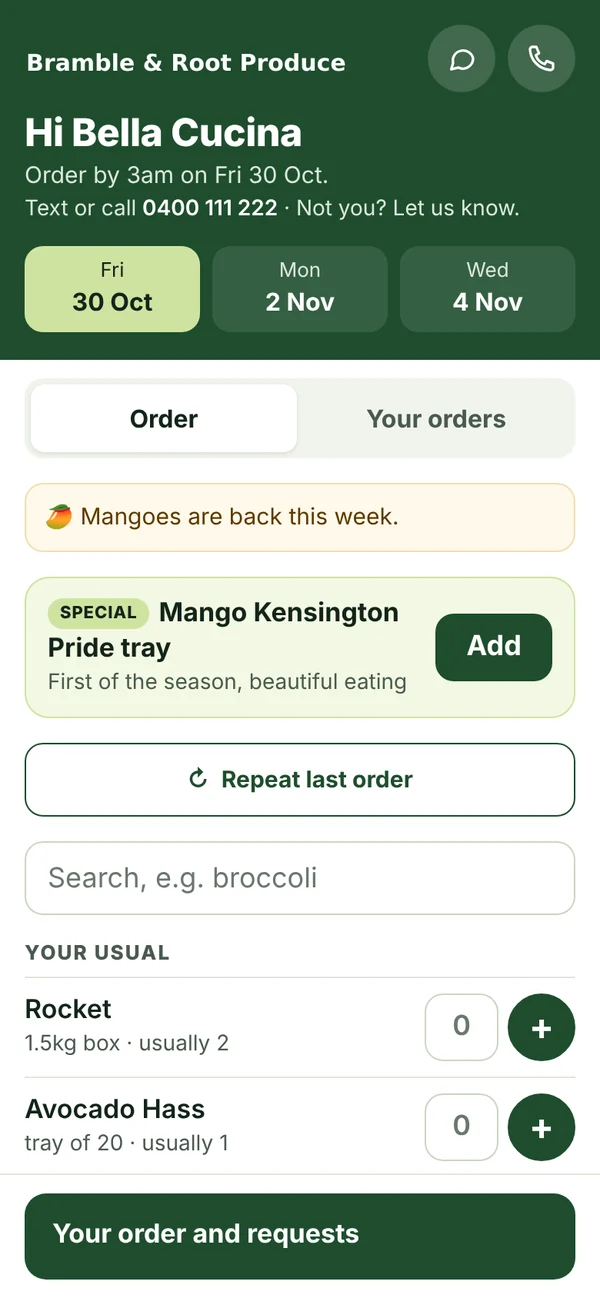
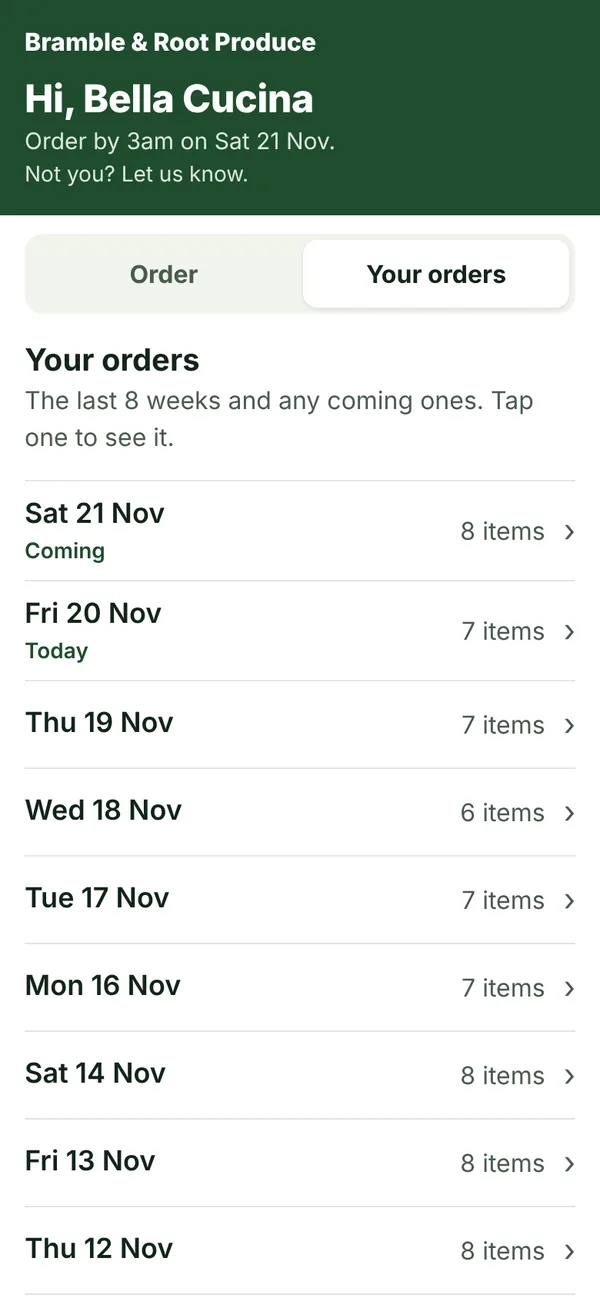
Your clients order on their own link.
No app to download and no password. They see your products, their usual order, and anything short or on special, then send it in a few taps.
- Their usual order, Repeat last order, and Your orders to order again
- Short, out of stock and specials shown before they order
- Friendly text reminders the night before, from your own number
2Orders
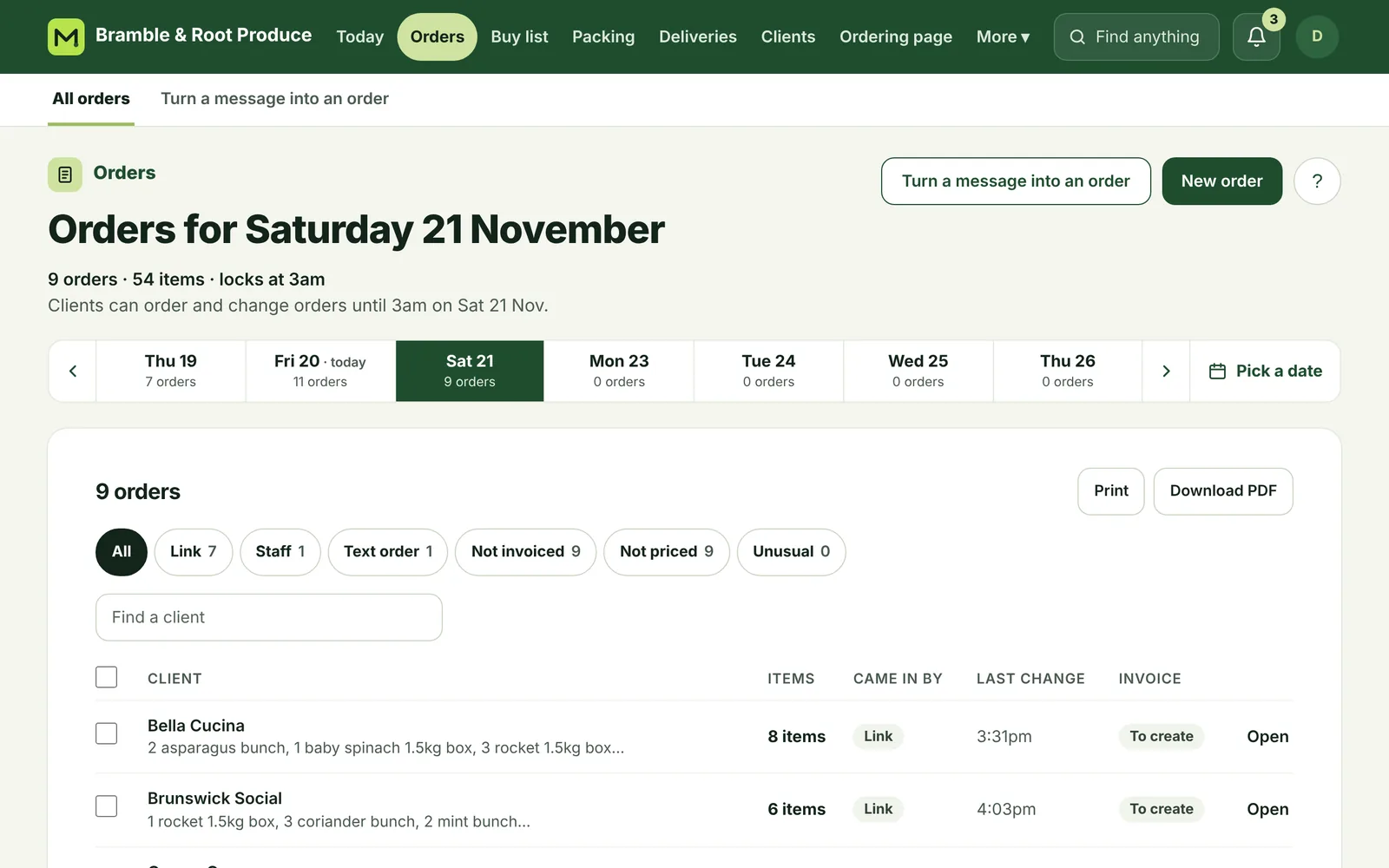
Every order in one place, however it came in.
Link orders, orders you take by phone, and texts pasted in, all for the right delivery day. Change any of them right up to the market.
- Paste a client's text and it becomes an order for you to check AI
- “Usually 4, ordered 40?” gets caught before the market
- One order per client per day: a second send adds to the first
3Buy list
Your buy list is ready when you are.
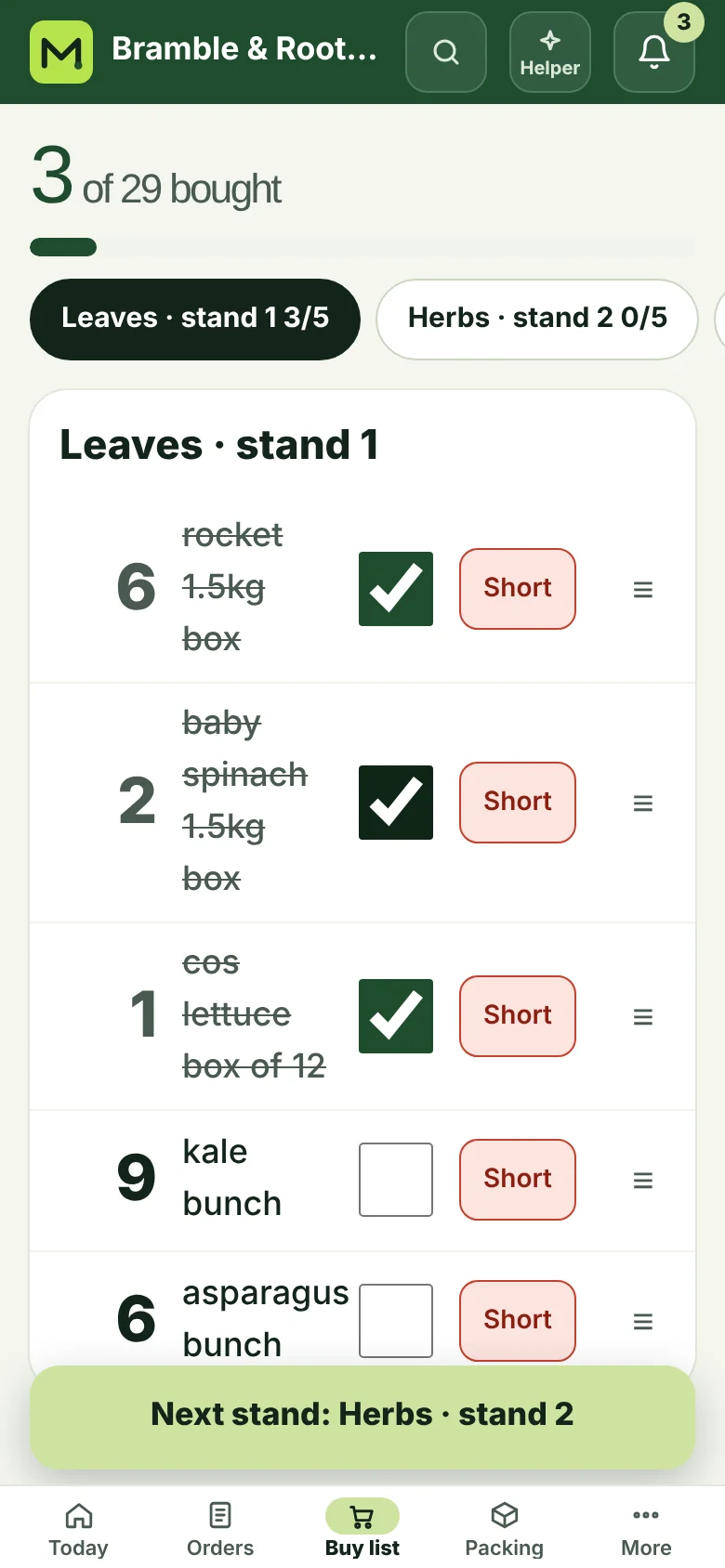
Every order added up, sorted the way you walk the market once you paste in your list, on your phone with tick boxes. Late changes are flagged so nothing gets missed.
- Paste your Apple Notes list once; every buy list follows it
- Copy for Notes, or tick off as you buy on your phone
- Market mode, one stand at a time On Standard
- Short at market: text the clients it affects in a few taps On Standard
4Packing
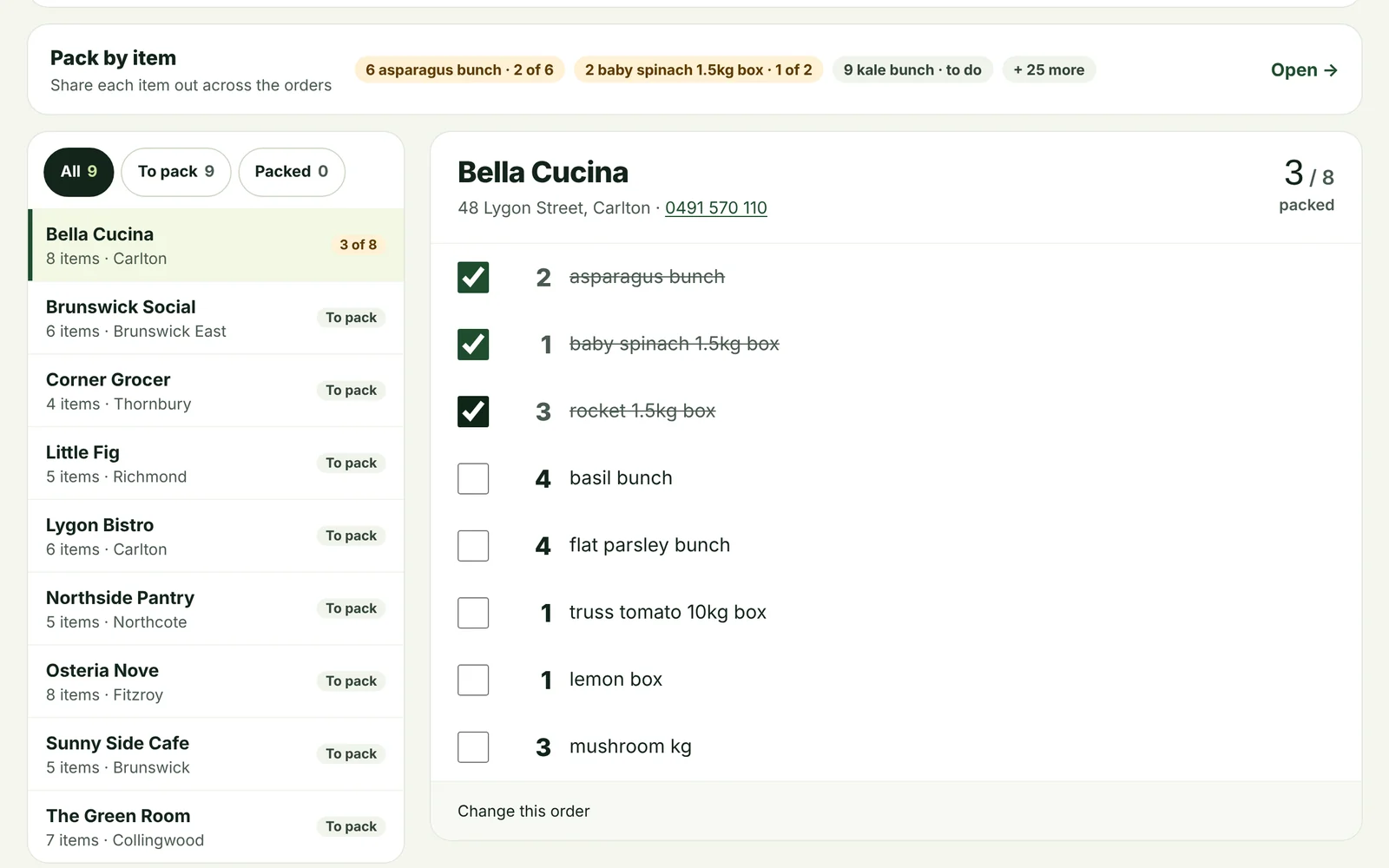
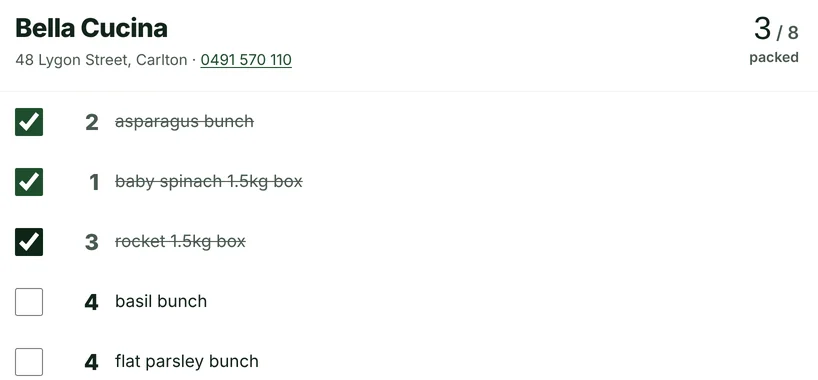
Packing sheets your team can tick off.
Pack by order or by item, on a phone or on paper. Delivery notes print in one go, and the night's order sheets can go to your phone at the lock.
- Pack by order, or share each item out across the orders
- Packed ticks everyone can see
- Packer / driver logins that see only what they need
5Deliveries
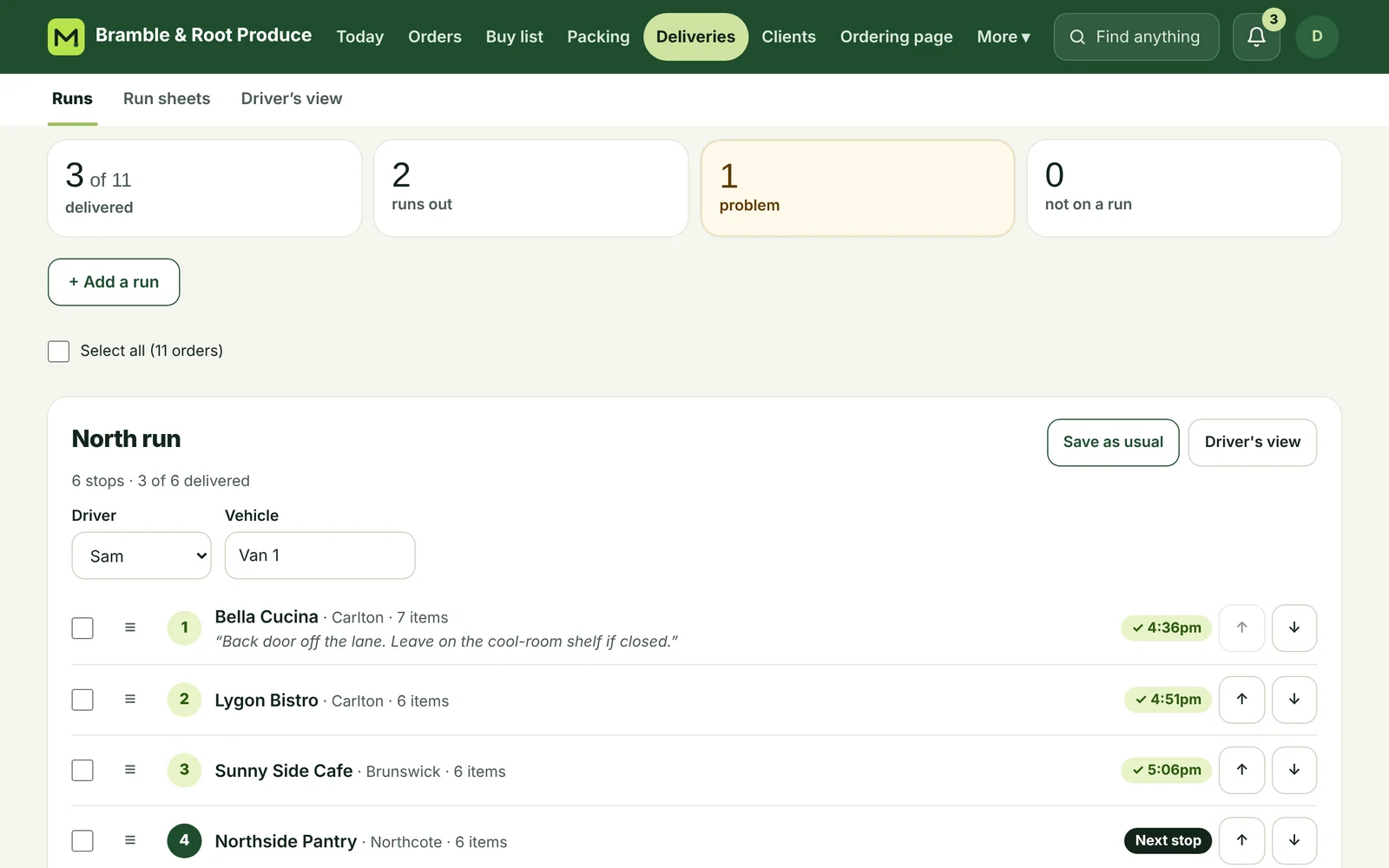
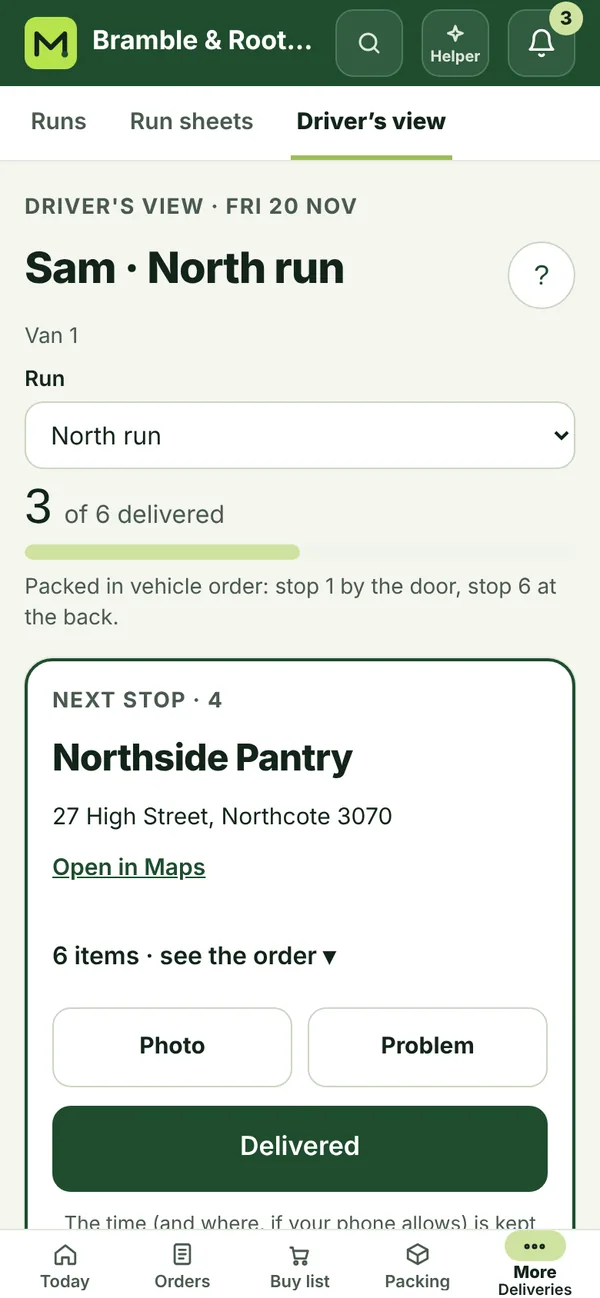
Runs and stops, and the driver's phone.
Each client keeps their usual run and stop, so the day's runs fill themselves. The driver sees the next stop, and you see what's been delivered.
- Drag stops into order, or save the day's order as usual
- Proof of delivery: a photo or a signature, and the time
- Problems at the door come straight back to you
6Invoices
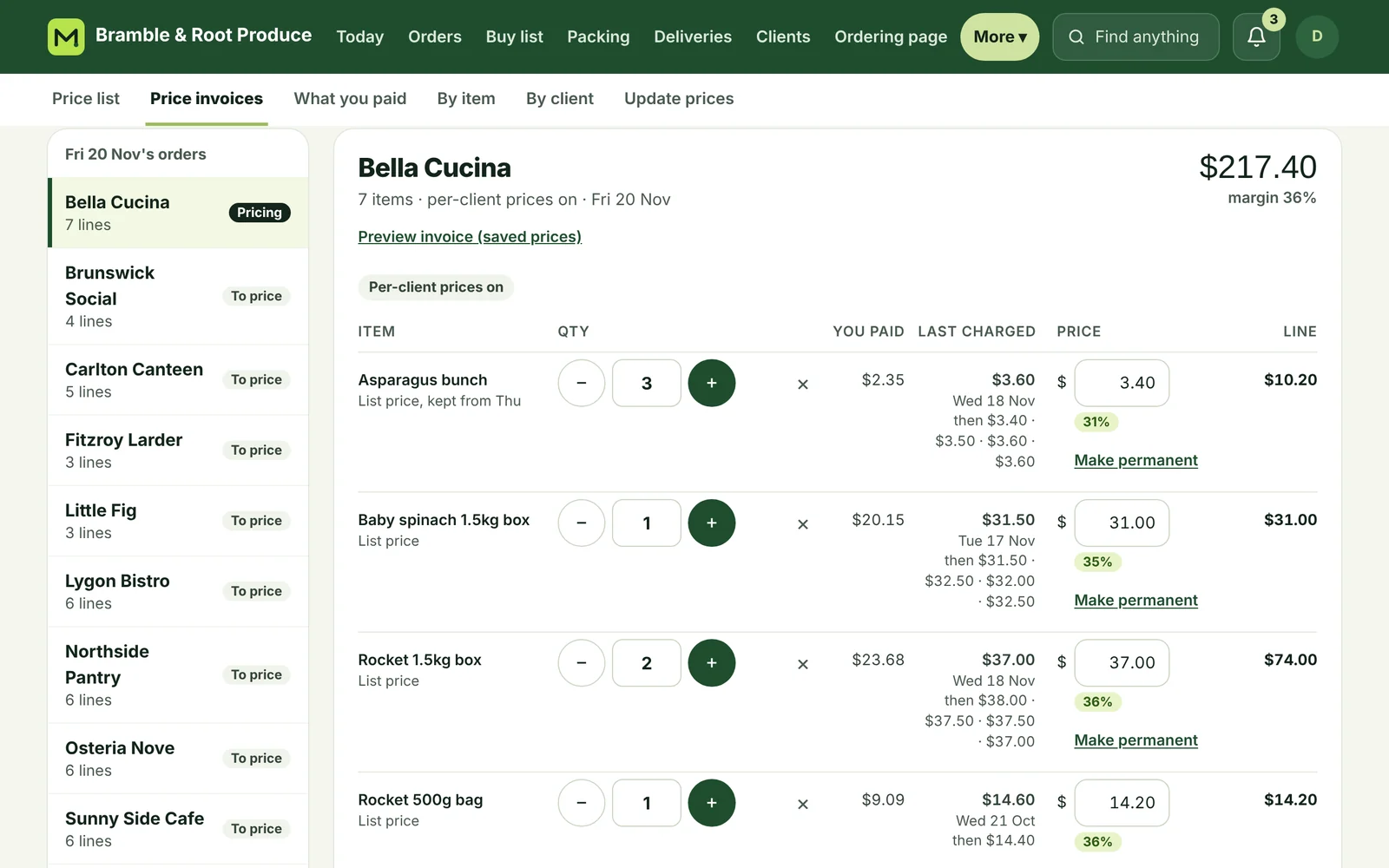
Invoices and prices, done.
Invoices go into your accounting app (QuickBooks or Xero), one per order. Change an order and the invoice follows. Price them on one screen, filled in with what each client paid last time.
- Last charged prices beside every order
- Price invoices on one screen, from your price list and each client's own prices On Standard
- Margins from what you paid at market On Standard
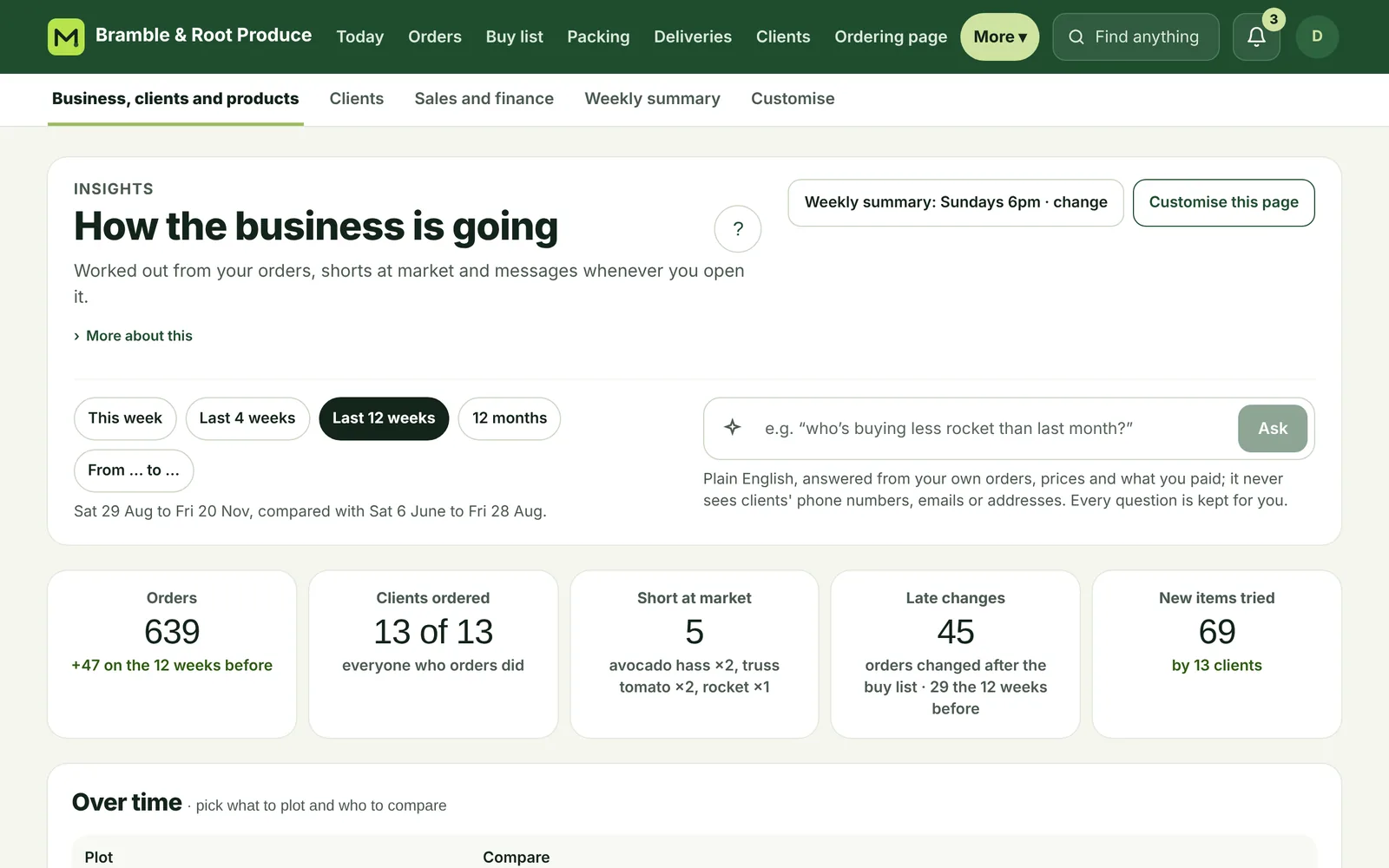
7Insights
See how the business is going.
Orders, sales and margins over any dates, how your clients are going, and what clients asked for that isn't on your list.
- Insights, including sales and finance On Standard
- A weekly summary to your phone On Standard
- Ask your business in plain words AI On Plus
8The helper
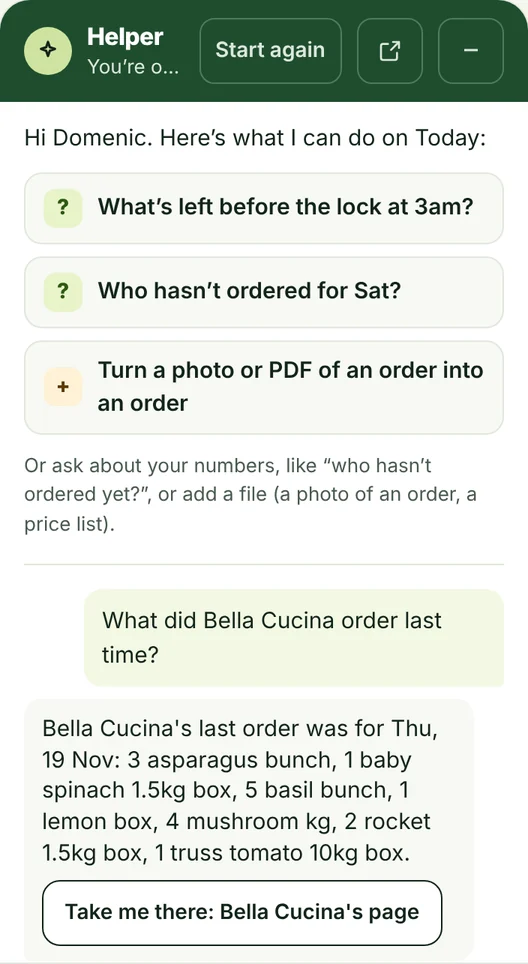
Your own AI helper, on every page.
Ask it about your own orders: “Who hasn't ordered for Friday?”, “What did Bella Cucina order last time?”. It answers, then takes you straight there.
- Answers from your own orders AI
- A photo or PDF of an order becomes a draft order to check
- “Do it for me”: it sets a job up, and nothing happens until you say yes On Plus
The tour
See it in 4 minutes
The real app, start to finish: a night of orders, the buy list, packing and invoices.
What you get
Everything for the morning, in one place
Every plan has the whole morning. See what's in each plan.
Taking orders
Ordering links for every client
Their usual order, Repeat last order, works on any phone.
Text reminders
Clients who haven't ordered get a friendly text the night before, from your own number.
Short or out of stock, specials and seasons
Clients see it before they order, not after.
Before and at the market
Unusual amounts
“Usually 4, ordered 40?” gets caught before the market.
The buy list, your way
Paste your Apple Notes list once and the app sorts every buy list like it.
Short at market On Standard
Mark what you couldn't get and text the clients it affects in a few taps.
Packing and delivery
Delivery notes and packing sheets
Printed for the driver, ticked off as they pack.
Your team
Owner and packer / driver logins, each seeing only what they need.
Your business
Invoices in your accounting app
One per order, updated when the order changes.
How your clients are going
See who's ordering less before they stop.
Your clients only see you
No marketplace and no directory of other suppliers on your ordering page.
Support
Support that knows the market.
Marketway is built by wholesalers, so we know when you need us.
Urgent help, 5am–8pm Melbourne, 7 days
When clients can't order or the app is down: message us in the app (? on any page › Contact support) or text us, and we'll reply as soon as we can, usually within an hour.
Everything else within one business day
In the app or at support@marketway.com.au.
Help and the helper, any time
A ? on every page, and a helper that answers questions about your own business.
Set-up done for you, if you'd like
Our optional set-up service brings in your products and clients for you.
Plus plan and founding members
A direct line to us.
Spend the morning buying, not adding up.
Try it free for 30 days · no card
Accounts open in early December: your 30 free days start when you join.
We'll be in touch within 2 business days: a quick call (about 5 minutes), or an email if you'd rather.